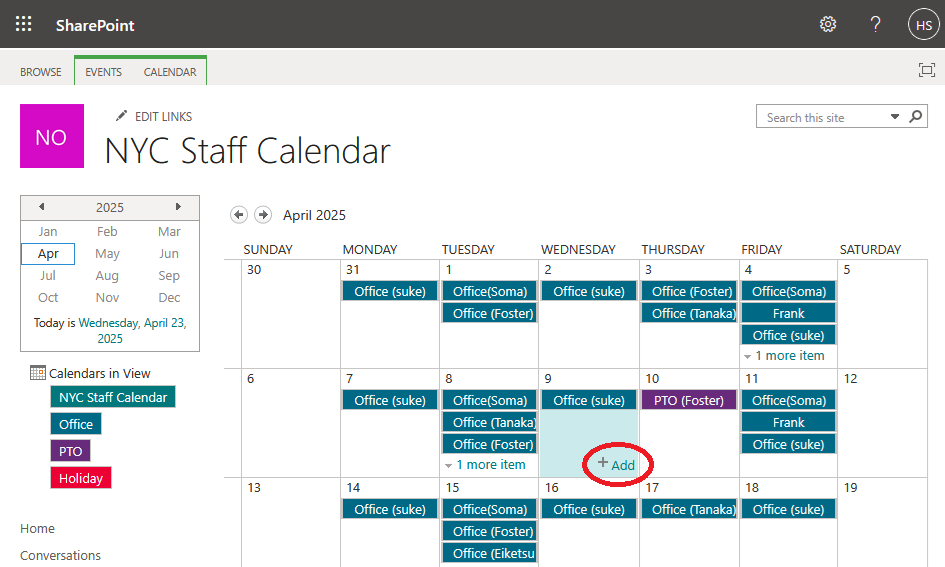
• Select the attendance day and click "+ Add" in the selected box.
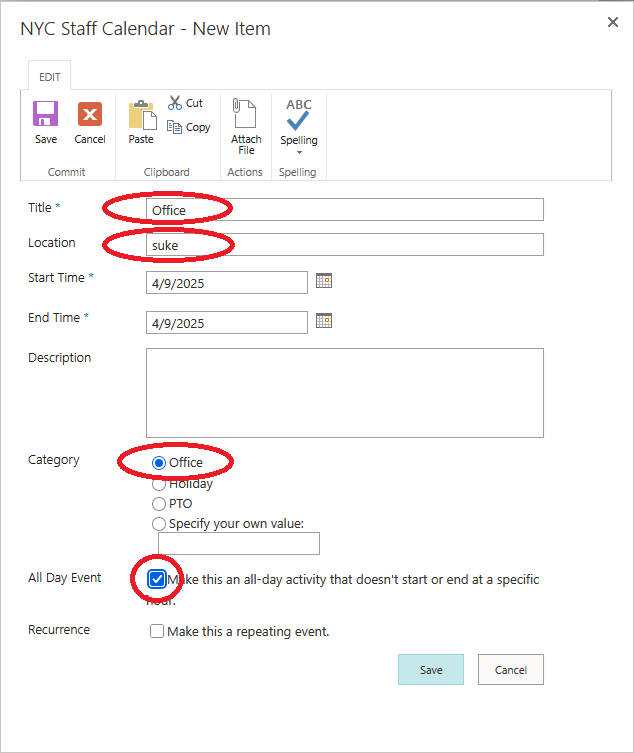
• Fill out the entry form,
- enter "Office" into the Title box,
- enter your name into the Location box,
- select Office from the Category options,
- check All Day Event.
Then, press "Save" button.
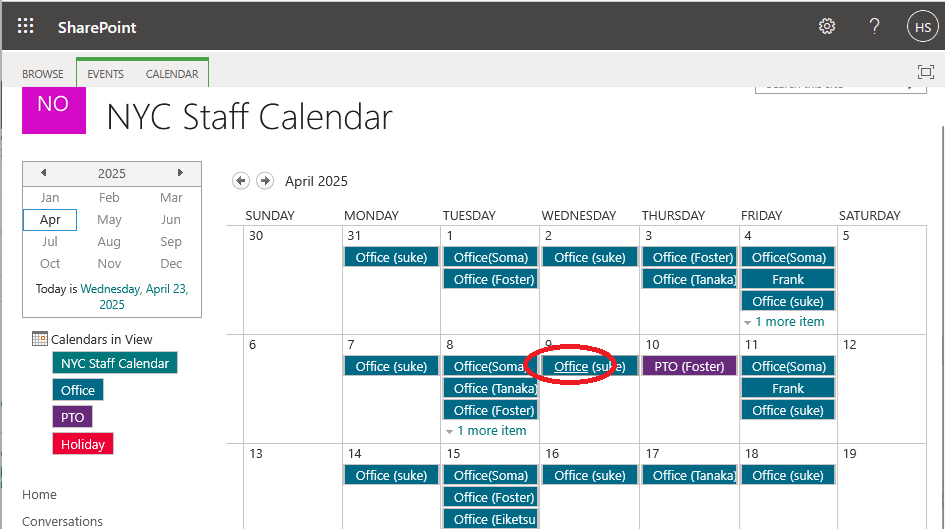
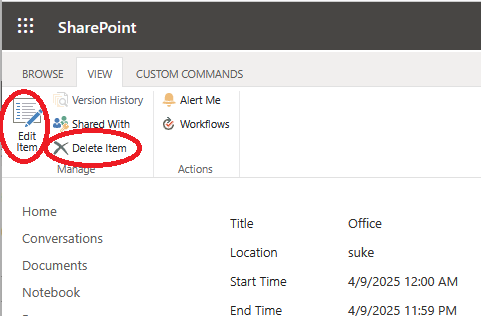
• If you want to delete or modify the entry, click the title of
the item.